
How to Choose a Car Entertainment System in 2026?
Choosing a car entertainment system in 2026 requires more than counting screens, speakers, or streaming apps. Your vehicle is a moving listening room, with road noise, glass reflections, heat, and limited cabin space. A system that sounds impressive in a showroom may feel tiring after two hours on the highway.
Dr. Sean Olive, a respected Harman audio researcher, has explained, “The vehicle is part of the audio system.” This principle deserves attention. Speaker placement, cabin materials, microphone quality, and software tuning can matter more than impressive wattage. Listen for clear speech, balanced bass, and stable navigation prompts. Test the system with familiar music, not only the dealer’s carefully selected playlist.
A strong car entertainment system should also support safe, simple interaction. Check voice controls, steering-wheel access, smartphone compatibility, screen brightness, update support, and rear-seat usability. Wireless connections are convenient, but they can occasionally fail. That small weakness matters during a long journey.
Your needs may expose another uncomfortable truth. More features do not always create a better experience. A family may value quiet rear-seat controls, while a solo commuter may prefer fast voice commands. Consider installation quality, warranty coverage, privacy settings, and future software support before purchasing. Some specifications look excellent on paper but feel awkward in daily use.
This guide compares sound quality, connectivity, comfort, safety, durability, and practical value. It also questions popular assumptions, because the most expensive system is not automatically the smartest choice.
Define Your Car Entertainment Needs and Passenger Priorities
How to Choose a Car Entertainment System in 2026?
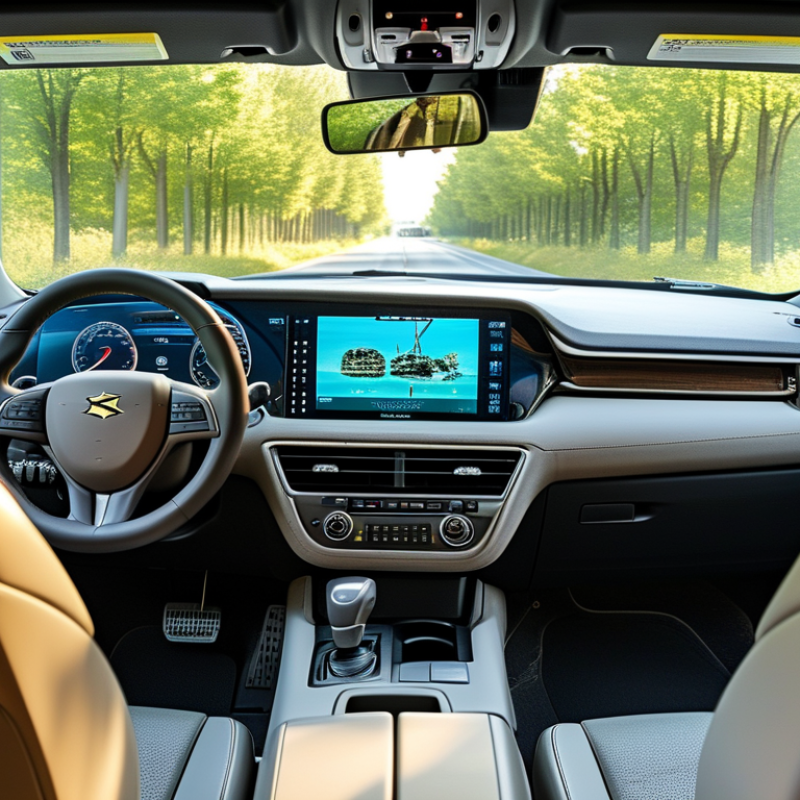
Start by defining how your car is actually used. Do you need navigation, hands-free calls, music, or rear-seat video? A daily commuter may value quick controls and clear audio more than a large display. Families often need separate entertainment zones, easy charging, and simple volume control. During real trips, I have found that complicated menus create more distraction than convenience. My first choice was too ambitious, and passengers rarely used half the features.
Passenger priorities should guide the final decision. Ask who sits in the car most often. Children may need wireless headphones and durable screens. Adult passengers may prefer podcast access, quiet listening, and adjustable lighting. Older passengers usually benefit from larger text, stronger contrast, and physical controls. Check every seat before buying. A system that looks impressive from the driver’s position may feel awkward in the back.
Tips: List your three most common journeys. Test controls with the car parked. Check screen visibility in bright sunlight. Confirm that phones connect reliably. Leave room for software updates and changing devices. Avoid paying for features nobody will use. Review privacy settings before connecting personal accounts. Also, measure the dashboard carefully. Small installation errors can affect visibility, sound quality, and passenger comfort. One detail is easy to miss: ask passengers to test it themselves.
| Passenger Need | Typical Priority | Recommended System Capability | Useful Data Point | Why It Matters | Questions to Ask Before Purchase |
|---|---|---|---|---|---|
| Daily commuting | High | Fast startup, simple controls, reliable smartphone integration, and clear hands-free calling | 10–20 seconds is a practical target for system startup | Frequent short trips make speed, usability, and low distraction more valuable than advanced cinema features | Can the main functions be operated with minimal menu navigation? Does it reconnect automatically? |
| Long-distance family travel | High | Rear-seat entertainment, multiple audio zones, charging access, navigation, and stable media playback | 2 or more independent charging points are useful for families | Different passengers can listen, watch, or charge devices without interrupting the driver | Are rear passengers able to use headphones? Can the system support more than one device at the same time? |
| Navigation and traffic guidance | High | Readable display, voice guidance, live traffic compatibility, and map access when mobile coverage is weak | 7–10 inches is a common practical display range for front-seat use | A larger screen can improve map readability, but excessive size may obstruct visibility or distract the driver | Are map updates included? Does navigation continue if the phone loses signal? |
| Music listening | High | Bluetooth audio, wired digital input, equalizer controls, low audio delay, and adequate amplifier power | 20 Hz–20 kHz covers the commonly stated range of human hearing | Good speaker installation, tuning, and cabin acoustics often influence sound quality more than headline specifications | Can the system adjust balance, fade, bass, treble, and listening profiles? |
| Podcast and audiobook playback | Medium | Resume playback, speed control through the connected device, clear voice reproduction, and steering-wheel controls | Voice-focused tuning should emphasize the midrange where speech is most intelligible | Easy resume and clear dialogue reduce the need to handle a phone while driving | Does playback resume after the vehicle is restarted? Can track and volume controls be used from the wheel? |
| Rear-seat video | Medium | Secure displays, headphone support, child-friendly controls, and compatibility with locally stored or streamed content | 1080p is generally sufficient for compact rear-seat displays viewed at normal seating distances | Separate rear controls can keep the driver focused while passengers select content independently | Are screens positioned safely? Can content be paused quickly? Are wireless headphones supported? |
| Phone connectivity | High | Wired and wireless smartphone projection, Bluetooth calling, USB data support, and automatic reconnection | 5 GHz Wi-Fi is commonly used for wireless projection because it can provide higher throughput than 2.4 GHz | Flexible connection options help accommodate different phones, cable conditions, and passenger devices | Does wireless projection require a separate adapter? Which USB ports support data rather than charging only? |
| Voice control | Medium | Hands-free commands for calls, navigation, media selection, and climate-related functions where supported | A dedicated microphone placed near the driver usually improves command pickup | Voice control can reduce screen interaction, although accuracy may vary with road noise, accents, and connectivity | Which commands work offline? Can the microphone understand speech with windows open or passengers talking? |
| Backup and parking assistance | High | Low-latency camera input, bright display, parking guidelines, and optional multi-camera support | At least 720p camera resolution can provide a useful baseline when installation and lens quality are good | Camera placement, night performance, viewing angle, and image processing are as important as resolution | Does the camera image appear automatically in reverse? Is the lens weather-resistant and easy to clean? |
| Vehicle integration | High | Support for steering-wheel controls, factory microphone, vehicle status information, and compatible warning chimes | Retained factory controls should be confirmed for the specific vehicle year and configuration | Poor integration can reduce convenience or disable original functions after installation | Will steering controls, door alerts, climate information, and factory amplifiers continue to work? |
| Privacy and account security | Medium | Guest mode, data deletion, separate user profiles, permission controls, and secure Bluetooth pairing | Delete-pairing history before selling the vehicle or returning a rental car | Contacts, destinations, messages, and media accounts may remain stored in the system | Can user data be cleared completely? Does the system request permission before accessing contacts and messages? |
| Software maintenance | Medium | Documented firmware updates, map update process, update recovery, and clear support documentation | USB or over-the-air updates are common update methods, depending on system design | Updates can improve compatibility, stability, security, and navigation accuracy over the system’s service life | How are updates delivered? Is a stable power supply required during installation? |
| Energy consumption | Low | Automatic sleep mode, low standby draw, and correct shutdown when the vehicle is turned off | Standby behavior matters more than screen power alone for vehicles parked for long periods | Incorrect wiring or excessive standby consumption can contribute to battery drain | Does the unit shut down with the ignition? Has standby current been tested after installation? |
| Installation and future upgrades | High | Vehicle-specific mounting, reversible wiring, accessible connectors, and room for additional cameras or amplifiers | Plug-compatible installation can reduce cutting, wiring errors, and future service difficulty | A clean installation improves reliability, safety, appearance, and the ability to replace individual components later | Will installation require dashboard modification? Are wiring diagrams and replacement parts available? |
Related Posts
-

Exploring Trends in Car Sub Markets at China's 138th Canton Fair 2025
-
Best Subwoofer for Car to Enhance Your Audio Experience?
-
Why Are Car Speakers Important for Your Driving Experience?
-

How to Choose the Best Car Component Speakers for Exceptional Sound Quality
-
Top China Best Audio Amplifiers for Global Buyers?
-

Best Audio System for Quality Sound Experience?