7 Tips for Choosing the Best Low Profile CPU Cooler
A Low Profile Cpu Cooler can make a compact PC quieter and easier to fit, but the smallest model is not always the right one. A few millimeters can decide whether the cooler clears your RAM, side panel, or motherboard heatsinks. Under load, a poor match may also mean louder fan speeds and higher temperatures. Small details matter.
Gamers Nexus founder Steve Burke is known for careful, repeatable hardware testing. A practical takeaway from his cooler reviews is: “Compare temperatures only when the test conditions match.” That is a paraphrase, not a verbatim quotation. It captures an important point: cooler results depend on the processor, case airflow, room temperature, and testing method. A temperature chart without that context can mislead.
This guide explores seven checks for choosing a Low Profile Cpu Cooler, from height limits and socket compatibility to noise, heat capacity, and installation clearance. You will learn how to read manufacturer specifications, compare test results fairly, and consider your actual workload. A cooler that handles a short gaming session may behave differently during a long render. And, honestly, published specifications cannot predict every tight build; checking measurements before buying is still essential. The goal is not to find the biggest cooler that fits on paper. It is to choose one that suits your case, processor, and tolerance for fan noise.
Understanding Low-Profile CPU Cooler Designs and Their Limits
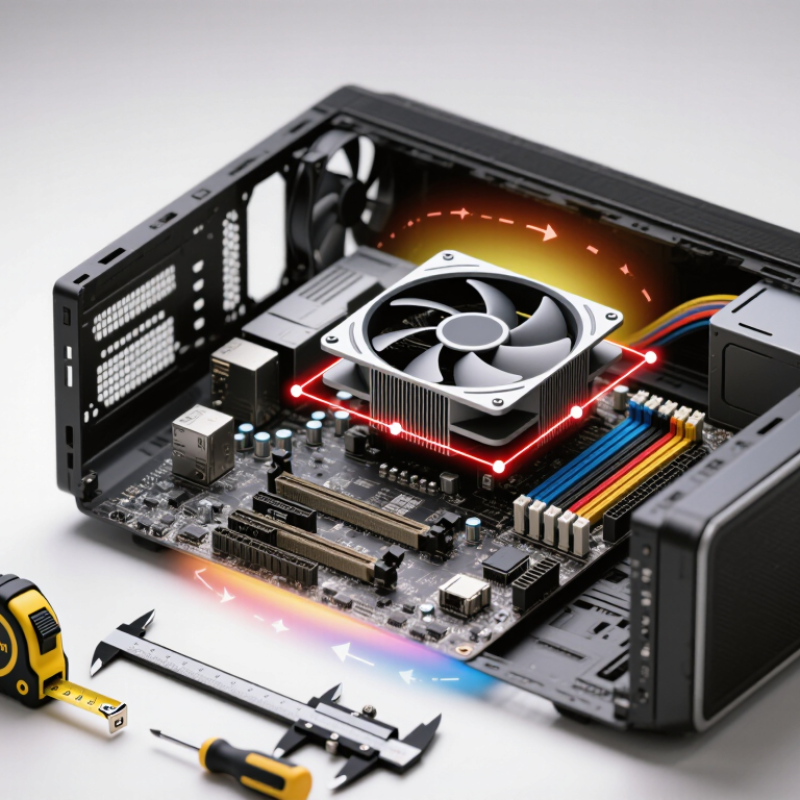
A low-profile cooler trades fin height for space around the socket. That matters in compact cases, where a side panel or memory stick can block airflow. Measure the case’s cooler clearance, then check the motherboard layout; “fits the socket” does not mean “fits the build.” Small details count. A tall memory module can force a cooler’s fan upward, adding millimeters the case cannot spare.
Height also limits cooling capacity, but processor power figures need careful reading. Official 2024 desktop CPU specifications list a 65-watt base-power model with maximum turbo power as high as 219 watts. That gap shows why a cooler rated only against base power may struggle during sustained heavy workloads. Test the machine with your real apps, and watch temperatures, clock speeds, and fan noise—not temperature alone. ISO 7779:2018 defines controlled methods for measuring computer noise, so casual phone readings are not reliable comparisons. One caveat: case airflow can change the result more than expected, and even a careful test may not predict every room or workload.
7 Tips for Choosing the Best Low-Profile CPU Cooler
Understanding Low-Profile CPU Cooler Designs and Their Limits
Low-profile coolers may use different fan sizes and layouts to fit tight spaces. This chart shows common nominal square fan-frame widths, not cooler heights. A larger fan can move air at lower speeds, but fan size alone does not predict cooling performance or fit. Check the cooler’s total height, case clearance, RAM clearance, and motherboard compatibility before choosing.
Checking Case, Socket, RAM, and Motherboard Compatibility
A low-profile cooler can still collide with a case panel. Check the case’s maximum CPU cooler height, then compare it with the cooler’s full height, including its fan. Measure from the processor’s surface to the closed side panel if the specifications leave doubt. A millimeter matters. Also check nearby case braces or vents, which can reduce usable space.
Confirm that the cooler includes mounting hardware for your exact processor socket. Socket names can look similar, but their mounting points may differ. Read the cooler’s compatibility list and verify that the required bracket is included. A listing that says “supported” is not enough if an older kit is required. Small detail, big headache.
Next, compare the cooler’s width and fan position with your RAM and motherboard layout. Tall memory modules may sit directly beneath an overhanging fan; measure their height and check the cooler’s clearance diagram. Look for large heatsinks around the socket, especially near the voltage regulators and rear ports. Motherboard layouts vary, so a fit reported by another owner may not apply to yours. Specifications sometimes omit awkward angles or slight overlaps, so inspect a scaled diagram before buying.
Matching Cooling Capacity to Your CPU and Workload
A low-profile cooler should be matched to sustained heat, not just a CPU’s advertised power rating. Short gaming bursts may let fans slow between peaks; long renders, code builds, or repeated exports keep heat flowing. Check the processor’s sustained power limits, then compare them with independent cooler tests at similar fan speeds and case conditions. Test results matter. A cooler that handles a brief run may grow loud or let temperatures climb during a long workload.
Room and case temperatures also affect the margin you need. ASHRAE’s 2021 thermal guidelines give 18–27°C as the recommended inlet-air range for data-center equipment; this is not a desktop CPU limit, but it shows why hotter intake air leaves less cooling headroom. In a compact case, measure the cooler’s height clearance and note whether nearby panels restrict airflow. I would leave extra capacity for warm rooms and dust buildup. Easy to overlook. SPEC CPU 2017 separates speed and rate workloads, a useful reminder that single-threaded tasks and heavily parallel work stress systems differently. Choose tests that resemble your real use, and treat any one temperature reading cautiously. Small cases punish optimism.
Comparing Fan Noise, Airflow, and Build Quality
Fan noise is more than a decibel number. A low-profile cooler can sound sharp when its small fan spins quickly, even if its measured level seems modest. Compare noise readings only when the test distance and room conditions match. ISO 7779:2018 describes controlled methods for measuring computer-equipment noise; it does not guarantee identical results in your case. Listen for tonal whine, too. That detail gets missed.
Airflow ratings, usually listed in cubic feet per minute, are useful but incomplete. A dense heatsink can restrict flow, so a strong open-air rating may not translate into strong cooling inside a cramped case. Check that the fan pushes air through the fin stack, rather than merely moving air around it. ASHRAE’s 2021 Thermal Guidelines give an 18–27°C recommended inlet-temperature range for data-center equipment. That is a useful reference, not a desktop-cooler target. Build quality matters in daily use: inspect fin edges, mounting hardware, cable routing, and whether the fan clips feel secure. I would not judge durability by weight alone. A heavier cooler can still have awkward clearance or flimsy fittings. Check RAM and side-panel clearance before buying; I have underestimated that space before.
Evaluating Installation, Maintenance, and Overall Value
A low-profile cooler earns its value through easy fitting, steady temperatures, and maintenance you can actually perform. Measure the case’s cooler clearance, RAM height, and motherboard layout before buying; a few millimeters can block a side panel or cover a memory slot. Check whether the mounting kit supports your socket, and whether you can reach the screws without removing the motherboard. Less disassembly means less hassle during cleaning. Small detail, big difference. Dust the fins with a soft brush and keep the fan cable clear of the blades. If fan replacement requires a rare clip or custom part, factor that future inconvenience into the price.
Compare temperature and noise figures only when test conditions match. The ISO 7779 standard defines controlled methods for measuring equipment noise, so check test distance and operating load beside any dBA result. Ambient temperature matters, too. ASHRAE’s 2021 thermal guidelines give 18–27°C as the recommended inlet range for certain data-center environments; this is useful context, not a direct home-PC target. A cooler tested in a cool room may perform differently on a warm desk. Look for independent results that state room temperature, CPU power, and workload. Favor reliable measurements over dramatic claims. One compromise remains: a compact cooler may be quieter at idle but louder under sustained rendering. Decide which use case matters most, then compare purchase cost, included mounting hardware, and cleaning access. A low price is less appealing if routine upkeep becomes awkward.